About Neoffice

Neoffice helps manage your hybrid workspace with ease and control. Empower employees to book the facilities they need—seats, car park, meeting rooms, and employee transport on one app.

Why Connect Neoffice with Empuls

Bring facility bookings into your engagement stack to streamline hybrid operations, reduce admin effort, and give teams a smooth, self-serve experience.

Key Benefits

For HR
  • Centralized control Manage seats, parking, rooms, and transport in one place.
  • Lower overhead Self-serve bookings reduce manual coordination.
  • Better planning Visibility into usage supports hybrid policies.
For Employees
  • One-stop app Book what you need, when you need it.
  • Frictionless hybrid work Reserve seats and rooms in advance.
  • Commuter convenience Coordinate transport alongside workplace bookings.

How Employees Can Use Neoffice

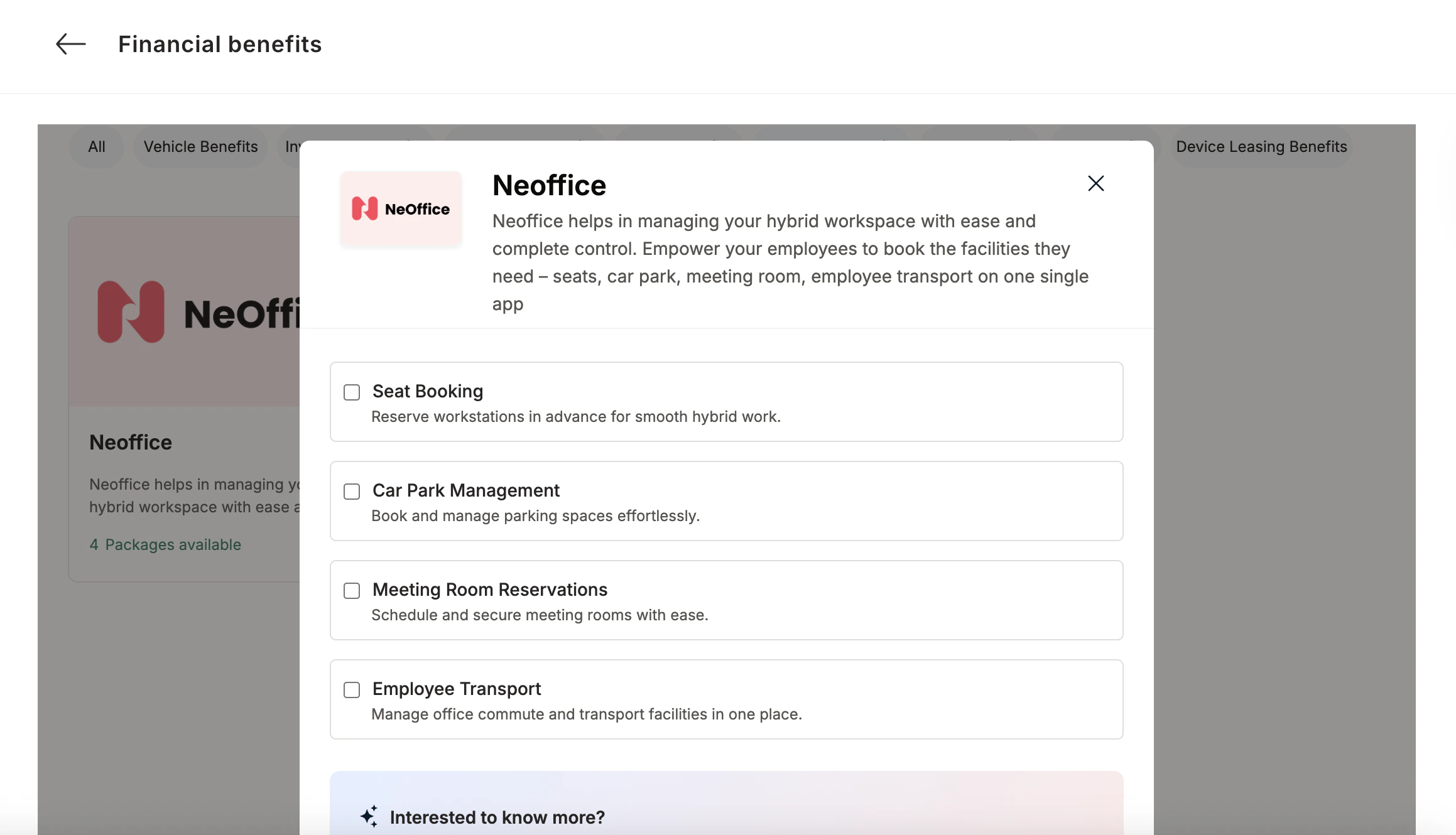
  • Seat Booking Reserve workstations in advance for smooth hybrid work.
  • Car Park Management Book and manage parking spaces effortlessly.
  • Meeting Room Reservations Schedule and secure meeting rooms with ease.
  • Employee Transport Manage office commute and transport facilities in one place.
Co-Sponsor & Deliver Neoffice at Scale

Roll out Neoffice across locations to standardize hybrid-work bookings and improve space utilization—without adding admin burden. Follow the steps below to bring Neoffice to your organization.
1

Log in to Empuls

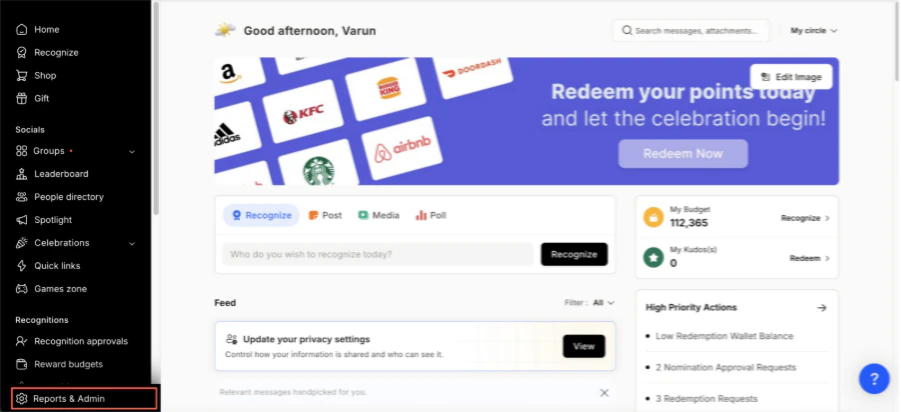
  • Click on Reports & Admin to land onAdmin Dashboard.
Neoffice 1
2

Go to Program Settings

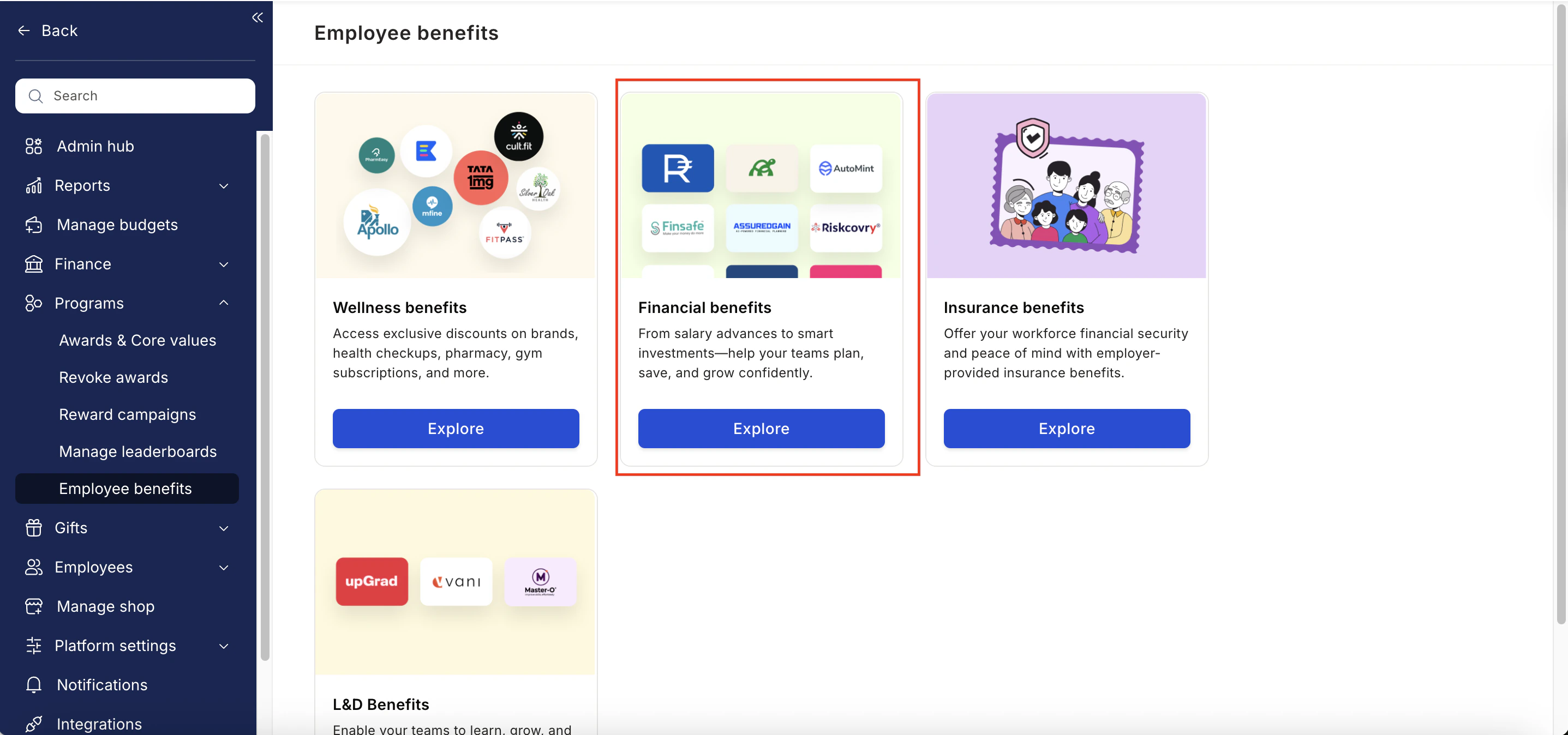
  • Navigate to Program >> Manage Benefits >> Financial Benefits
Neoffice 2
3

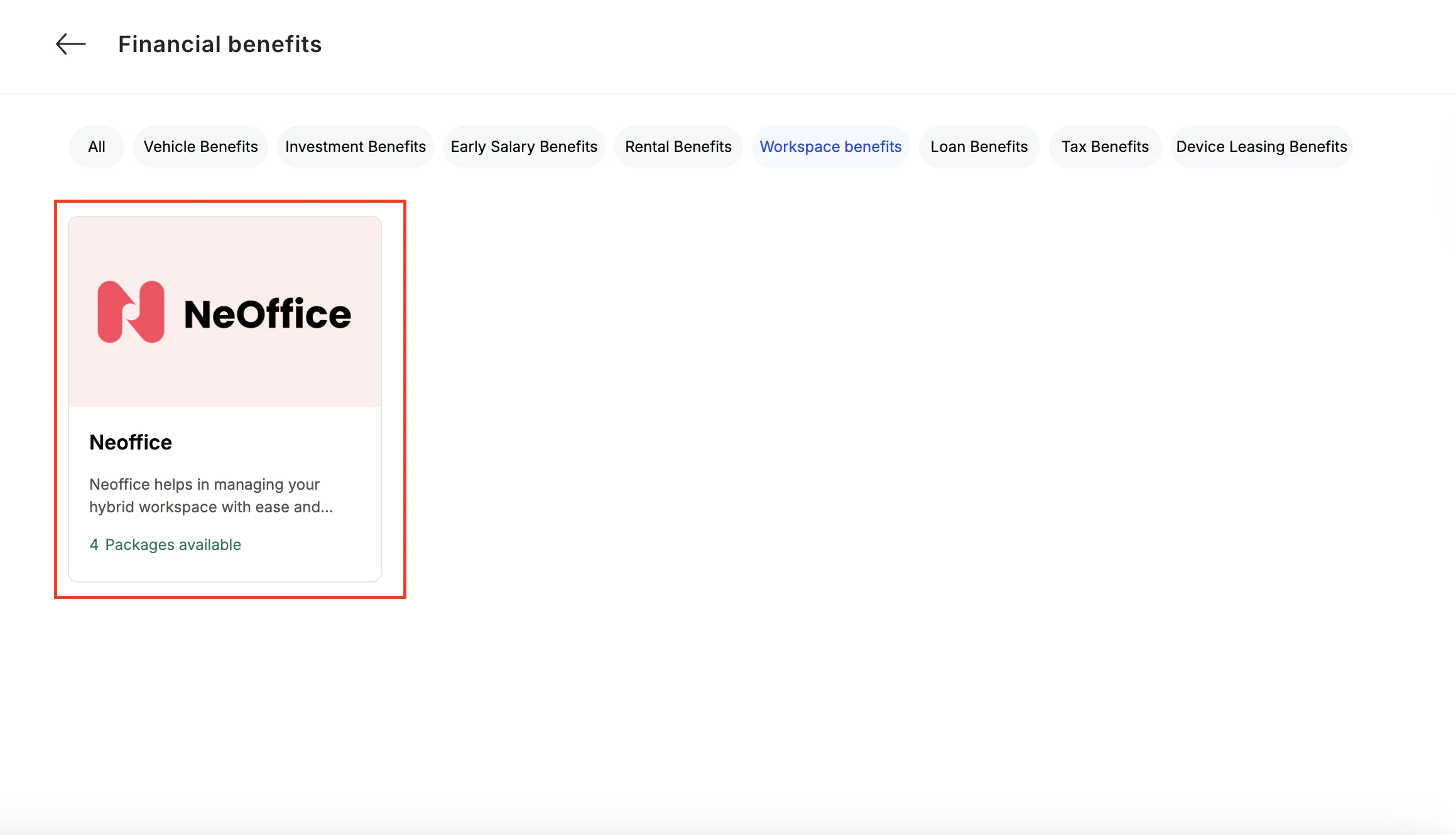
Select Neoffice

  • From the list of wellness partners, choose Neoffice
Neoffice 3
4

View available packages

Neoffice 4
5

Fill in the employee details

  • Enter:
    • Number of employees
    • Work email addresses
    • Phone numbers
6

Send an enquiry

  • Click Enquire.
  • Our team will respond with details and pricing.
Neoffice 5
7

Confirm the requirement

  • Our team will connect with you, confirm pricing and requirements, and activate the benefit for all employees.

How Employees Can Access Neoffice

1

Log in to Empuls with your credentials

Log in to Empuls with your credentials.
2

Navigate to Benefits >> Financial Benefits

Navigate to Benefits >> Financial Benefits
3

Select Neoffice from the available options

Select** Neoffice **from the available options.
4

Pick the service you need

Pick the service you need.
5

Book your benefit by clicking on Pay

Book your benefit by clicking on Pay.

Support

For setup or usage assistance, contact us at cs@xoxoday.com.