
Step-by-Step Instructions
Step 1: Navigate to the Plans Section
Log in to your sales incentive platform and go to the Plans tab.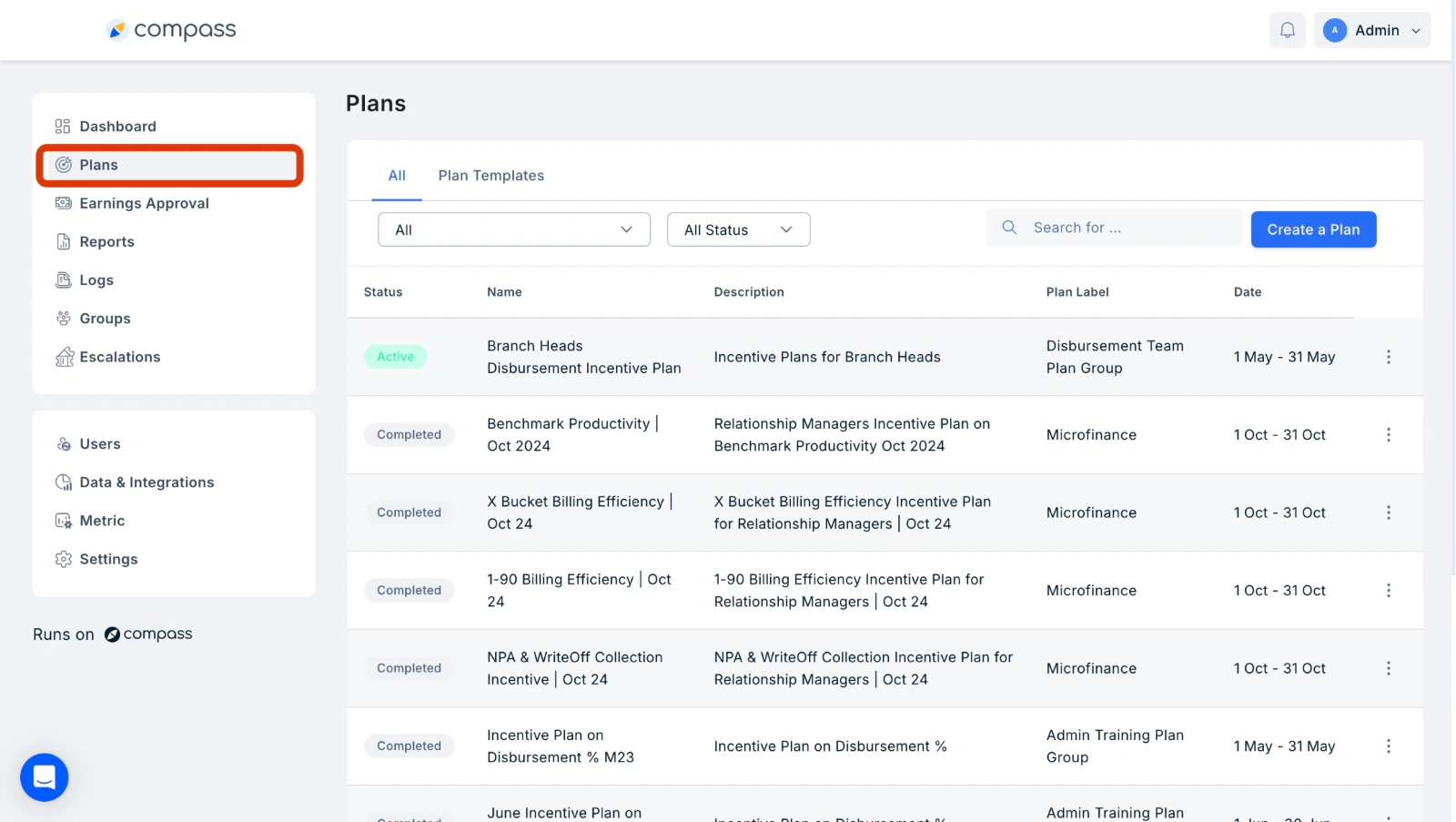
Step 2: Access User Earnings
Under the Plans section, click on three dots next to the plan you wish to view metrics for, select View Earnings from the drop-down menu to see a list of all users and their associated earnings. The table also shows a Last Updated timestamp so you know when the data was last refreshed.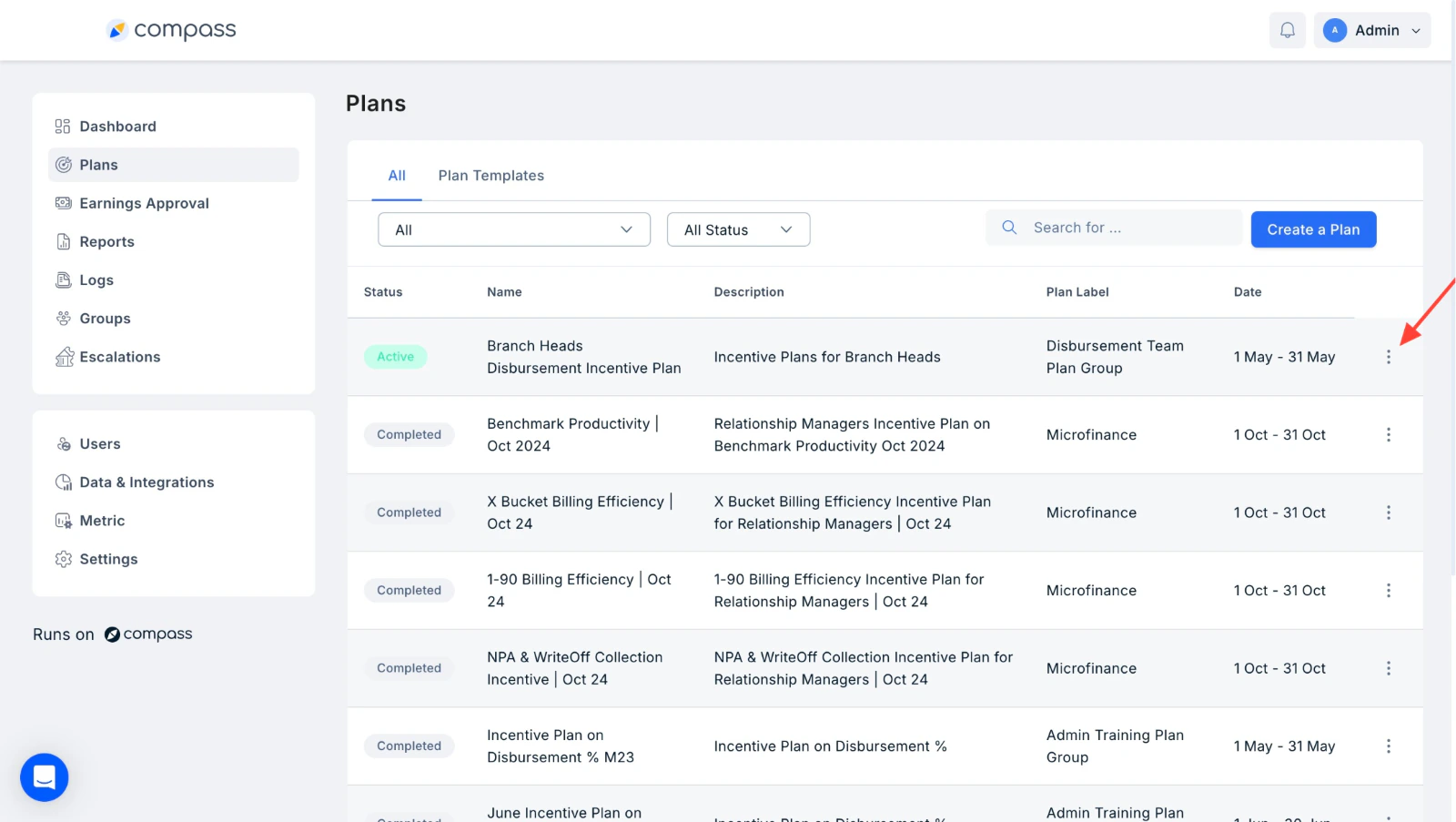
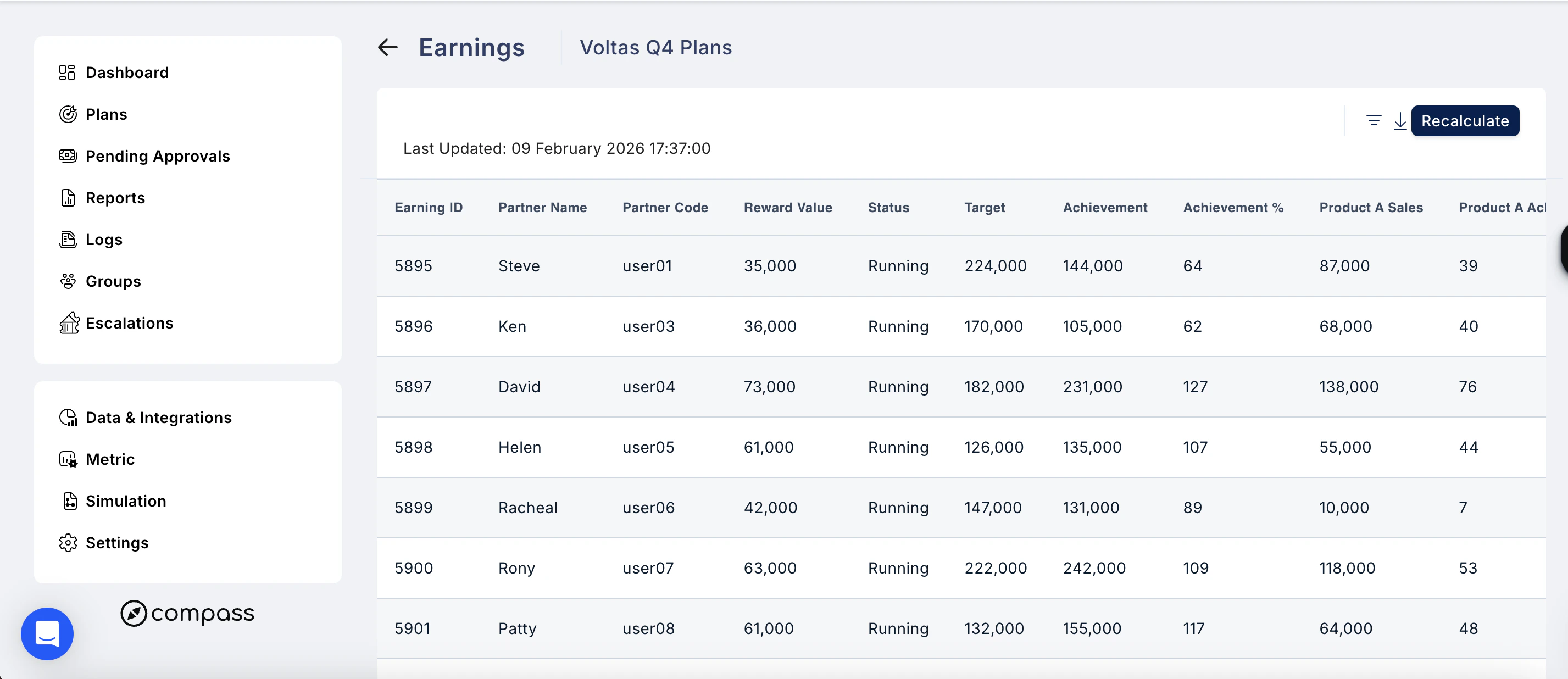
- Partner Name — search for a specific user
- Status — filter by earnings status (e.g. Running)
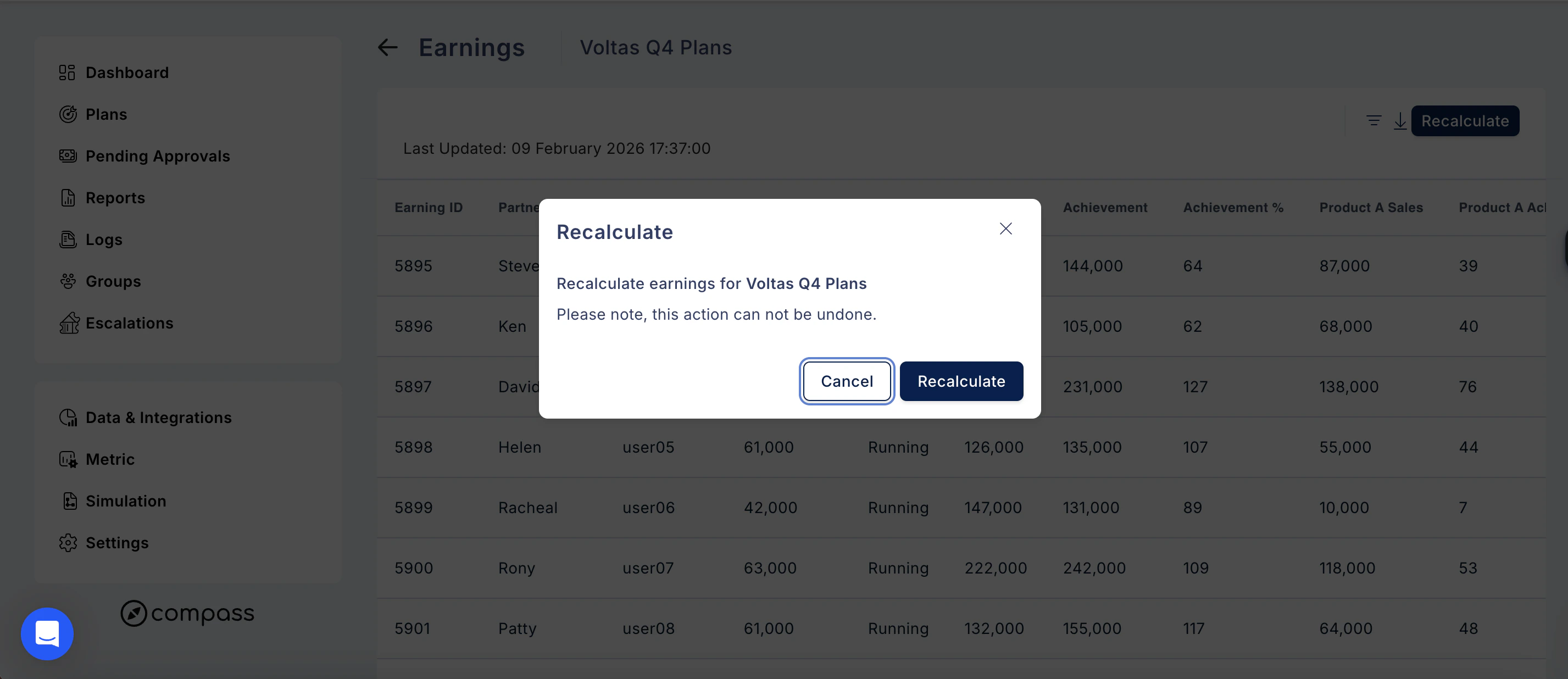
Step 3: View Detailed Metrics and Earnings Breakdown
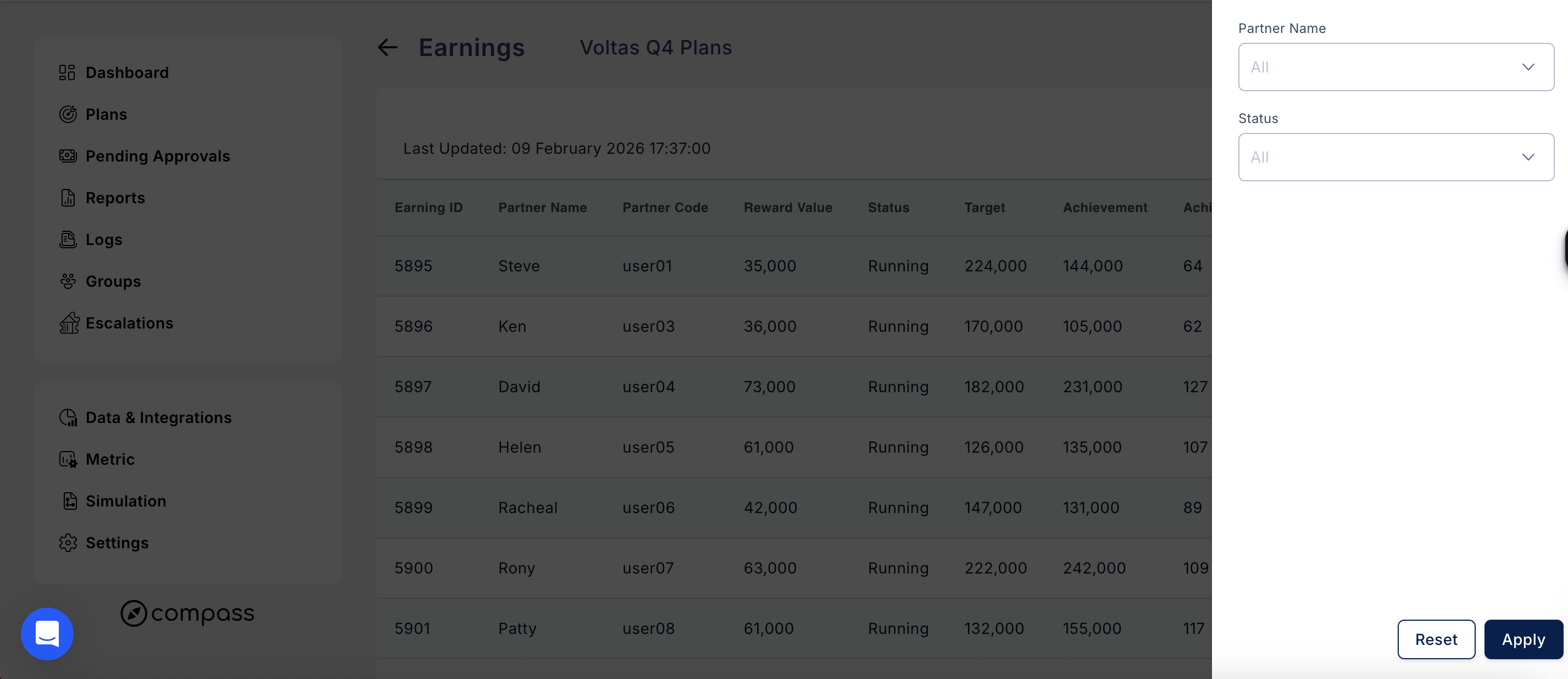
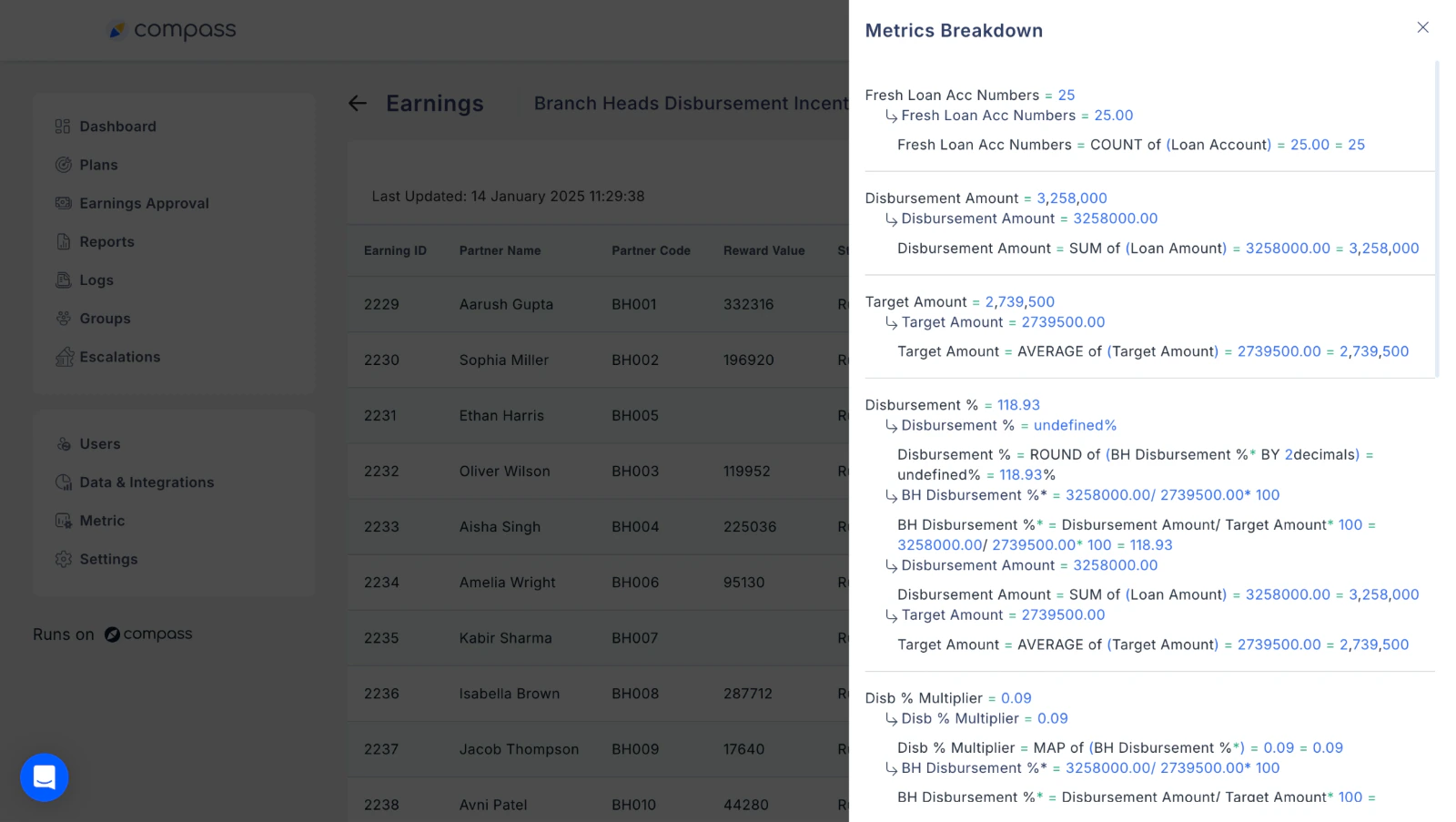
Click on any user’s Partner ID to access a detailed breakdown of their metrics and earnings. This breakdown includes:- Step-by-step calculations of metrics.
- Insights into how each plan and its components contribute to the user’s earnings.
Why This Feature is Useful
- Transparency: Clearly see how metrics and earnings are calculated for each user.
- Validation: Validate calculations with ease, thanks to detailed breakdowns.
- Clarity: Understand each step in the calculation process for better data accuracy.
Need help? Reach out to your support team or cs@xoxoday.com.