Viewing Your Orders
Access Order History
Click your profile image and select Order History from the drop-down menu, or navigate directly to 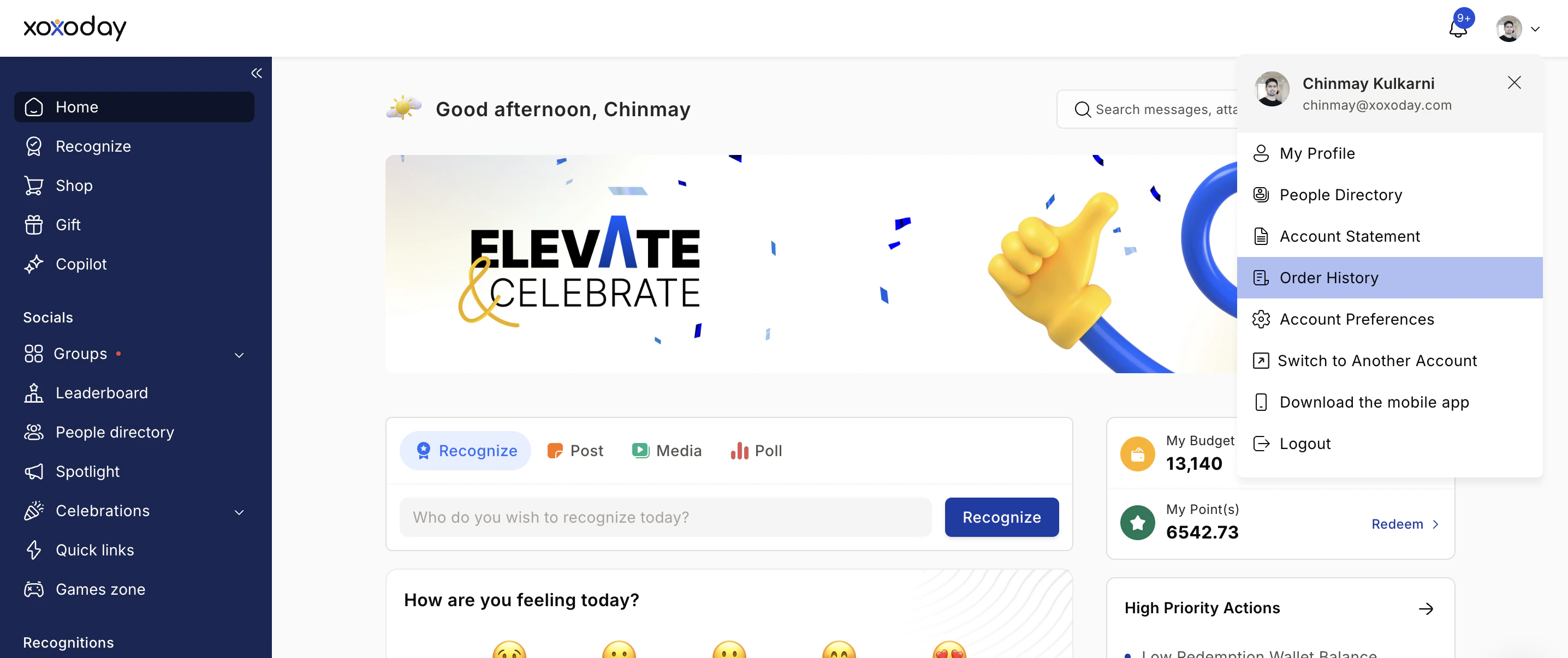
/home/order-history. Ensure you are logged in using your registered email and password.Review Your Orders
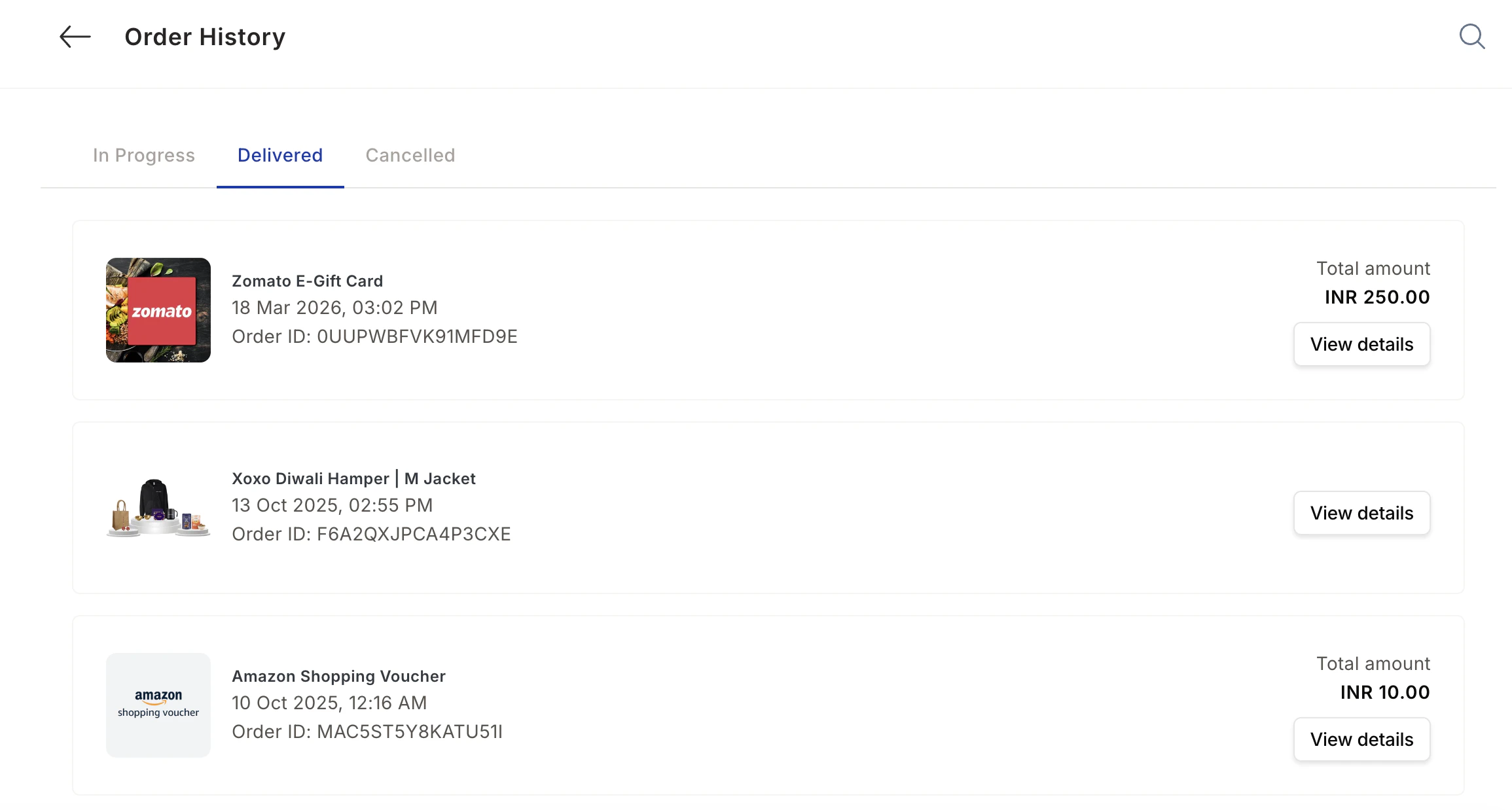
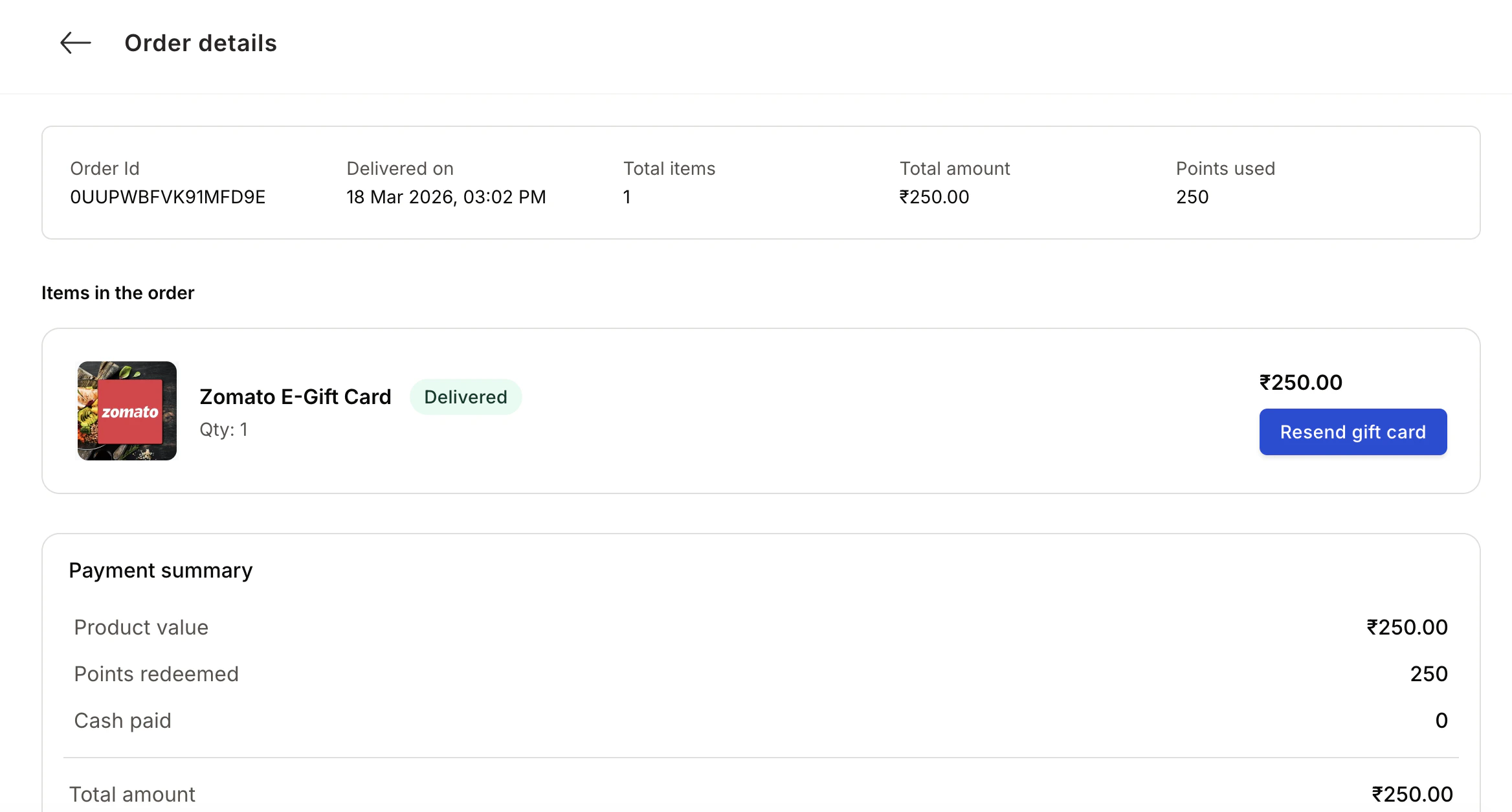
The Order History page displays a detailed record of all your orders (in progress, delivered, or cancelled), including delivery status, points used, and price. Click on any order to view additional details such as the item name, category, and associated transaction IDs.