
1. Spot awards
Spot awards are great for in-the-moment recognition. Use this option when you want to allow award givers to give awards without requiring approvals. This award type supports all reward configurations: fixed or range-based points, gift cards, certificates, and team rewards.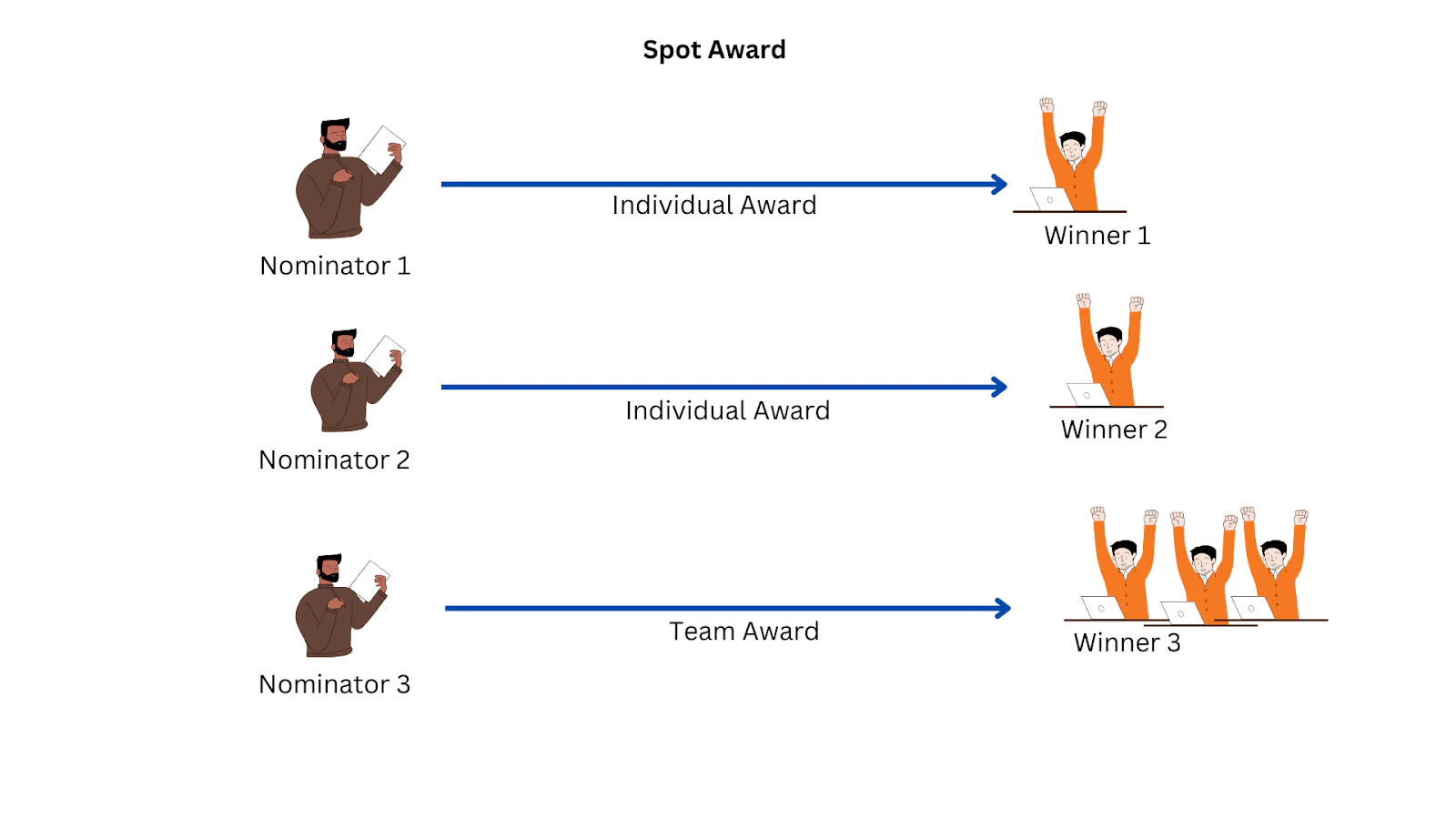
2. Approval-based awards
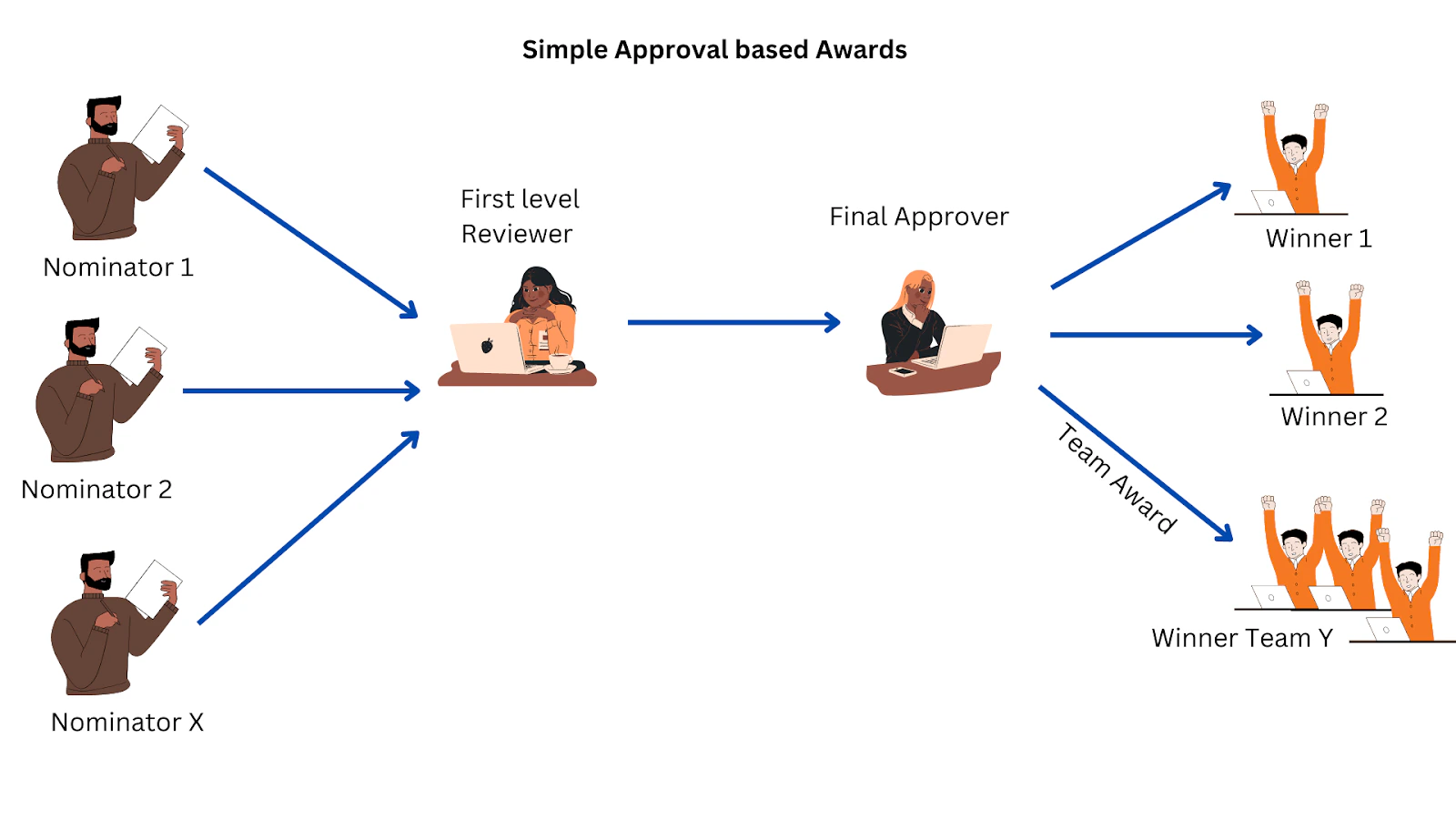
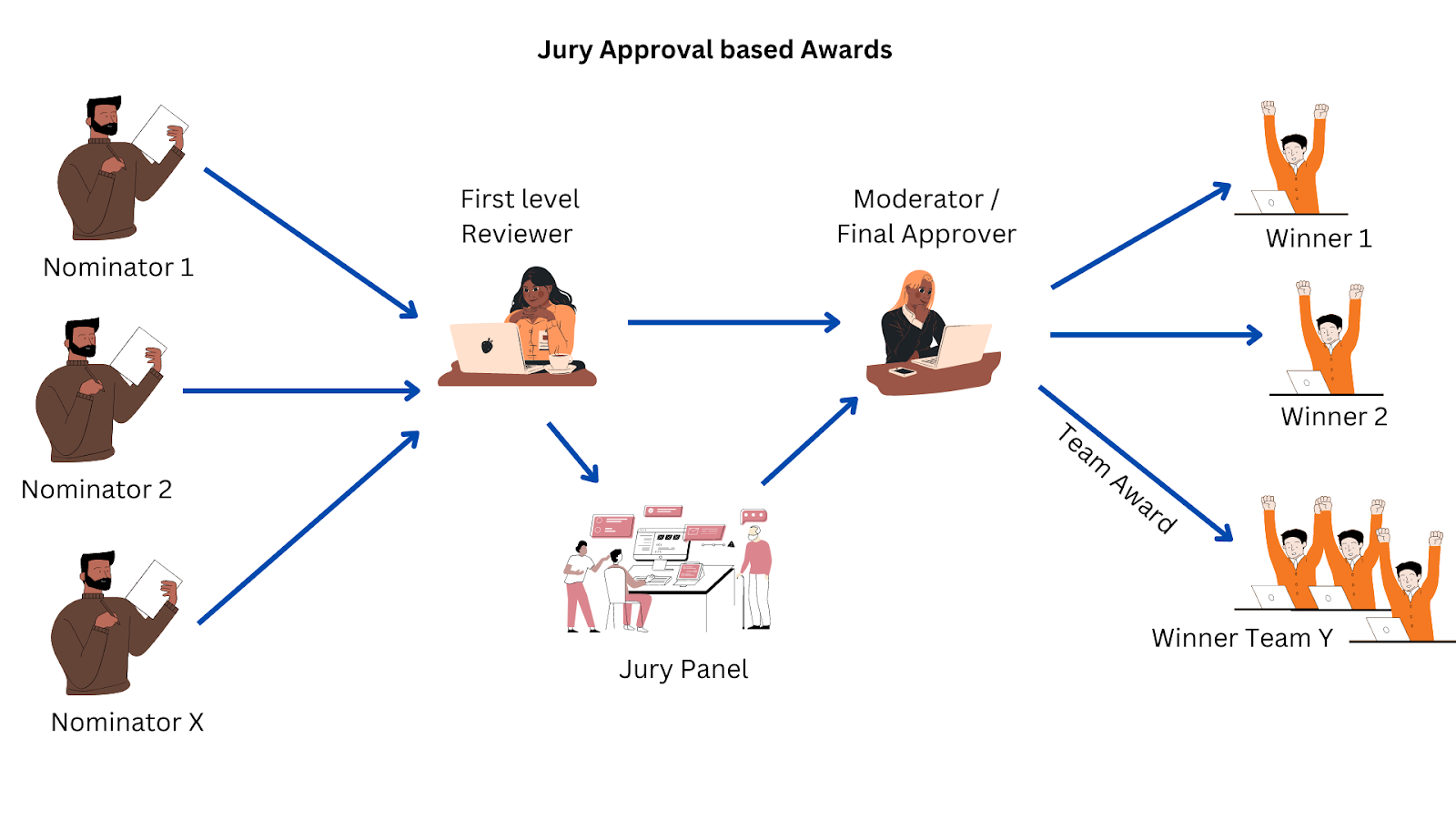
Use approval-based awards when you want employees to nominate colleagues for awards that need a review before being issued. Four personas are involved:- Nominator — Identifies the individual or team that deserves an award and submits a nomination.
- Nominee — The individual or group nominated. Nominees are not informed about the nomination process until the award is approved.
- First-level approver — Reviews the nomination and decides whether it should move forward.
- Final-level approver — The final authority on award nominations. Can approve nominations only if sufficient budget is available.
3. Incentives
Ideal for motivating employees to achieve predefined targets or milestones. Employees or teams claim rewards manually after successfully completing measurable goals. The process: Admin defines the goal → Employee completes the goal → Employee claims the award → Approver reviews and approves → Reward is issued.
4. Point distribution
- Fixed — The reward points remain the same for all recipients. The award presenter cannot modify the allocation.
- Range — The Super Admin sets a minimum and maximum points range. The award presenter can allocate points within that range. Applicable only for Spot Recognition.
Next steps
Set up your first award by navigating to Programs > Awards & Core Values > Create Award.Questions or support? Email cs@xoxoday.com.