
Why this matters
- Highly engaged teams show 21% greater profitability and 41% less absenteeism (Gallup).
- Traditional recognition systems often fail to continuously motivate employees, leading to disengagement.
- Goal-based incentives create measurable motivation and maintain focus on achieving objectives.
When to use incentives
Incentives are most effective when you want to:- Reward completion of clearly defined targets — sales quotas, learning milestones, or wellness challenges.
- Encourage ongoing improvement and sustained effort rather than one-time accomplishments.
- Acknowledge systematic performance improvements and consistent goal achievement.
Example use cases
| Domain | Example |
|---|---|
| Sales | Achieving quarterly or annual sales targets |
| Learning & Development | Completing mandatory training, certifications, or skill-building programmes |
| Wellness | Actively participating in company wellness initiatives or challenges |
| Operations | Meeting project deadlines, productivity benchmarks, or operational goals |
Steps to set up an incentive award
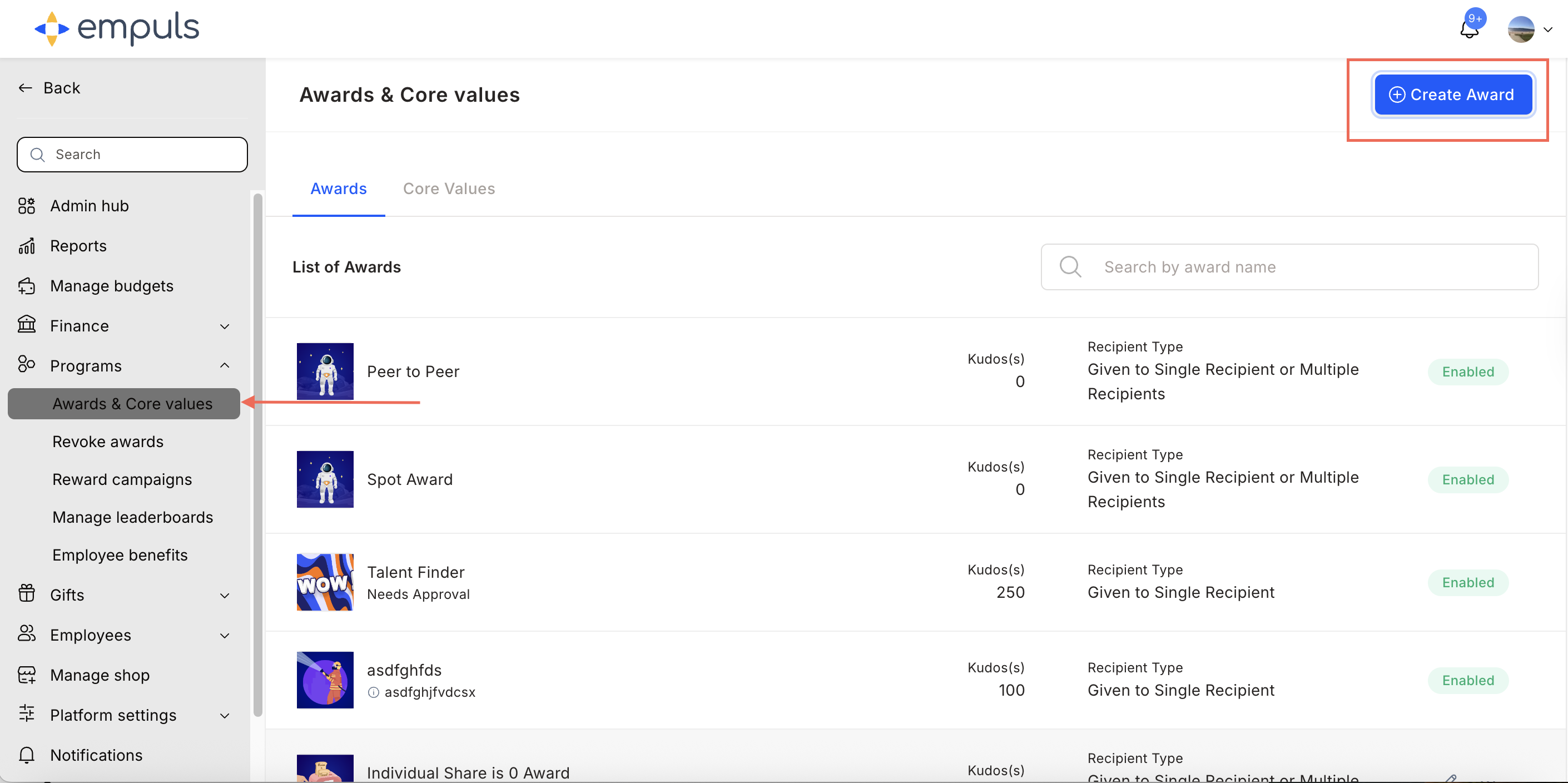
Select Incentive
Select Incentive and click Proceed.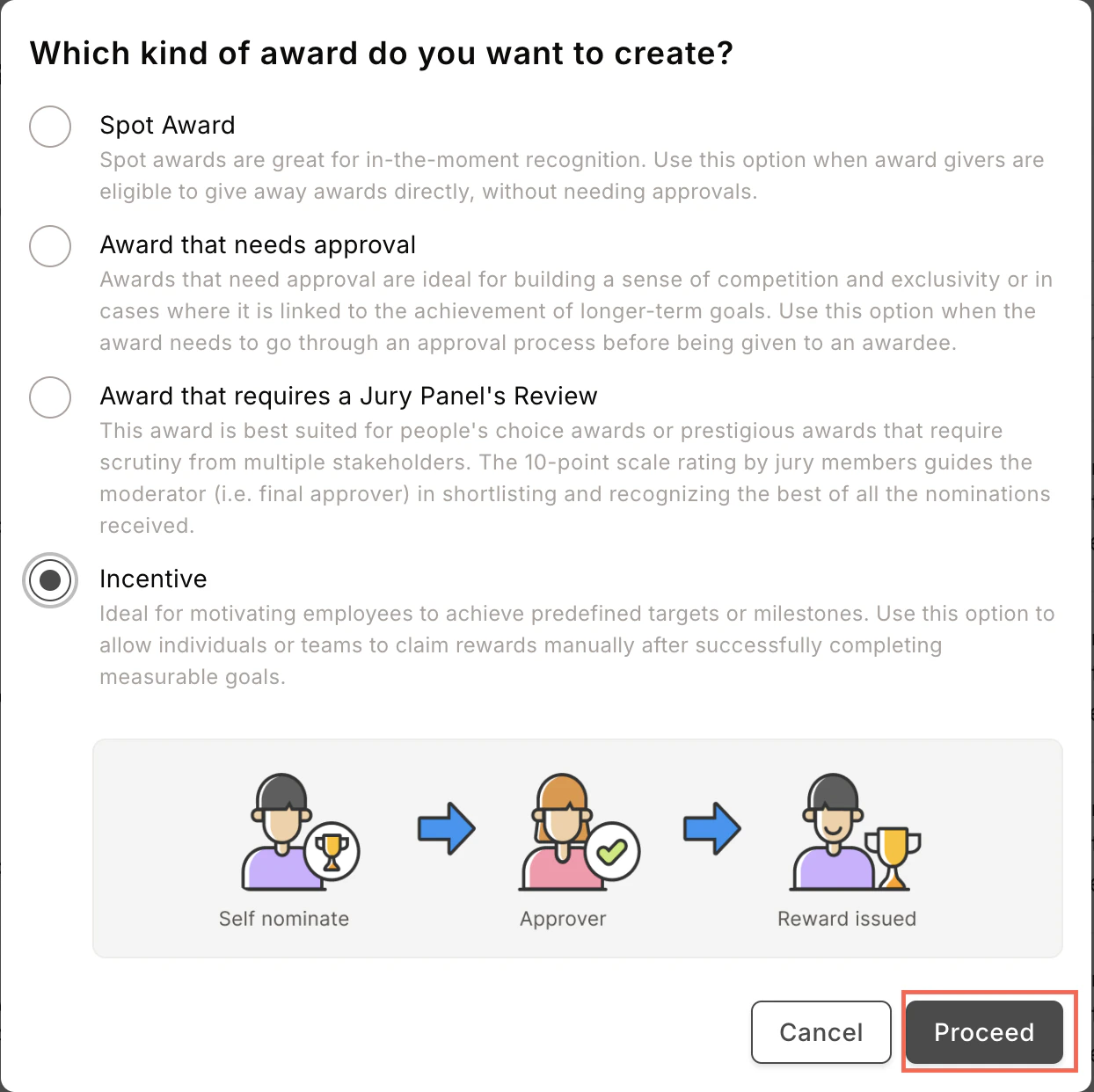
Ideal for motivating employees to achieve predefined targets or milestones. Allows individuals or teams to claim rewards manually after successfully completing measurable goals.
Fill in award details
Enter the award name, description, image, and recipient type. Click Continue.An award recipient can be an individual, a team, or kept flexible.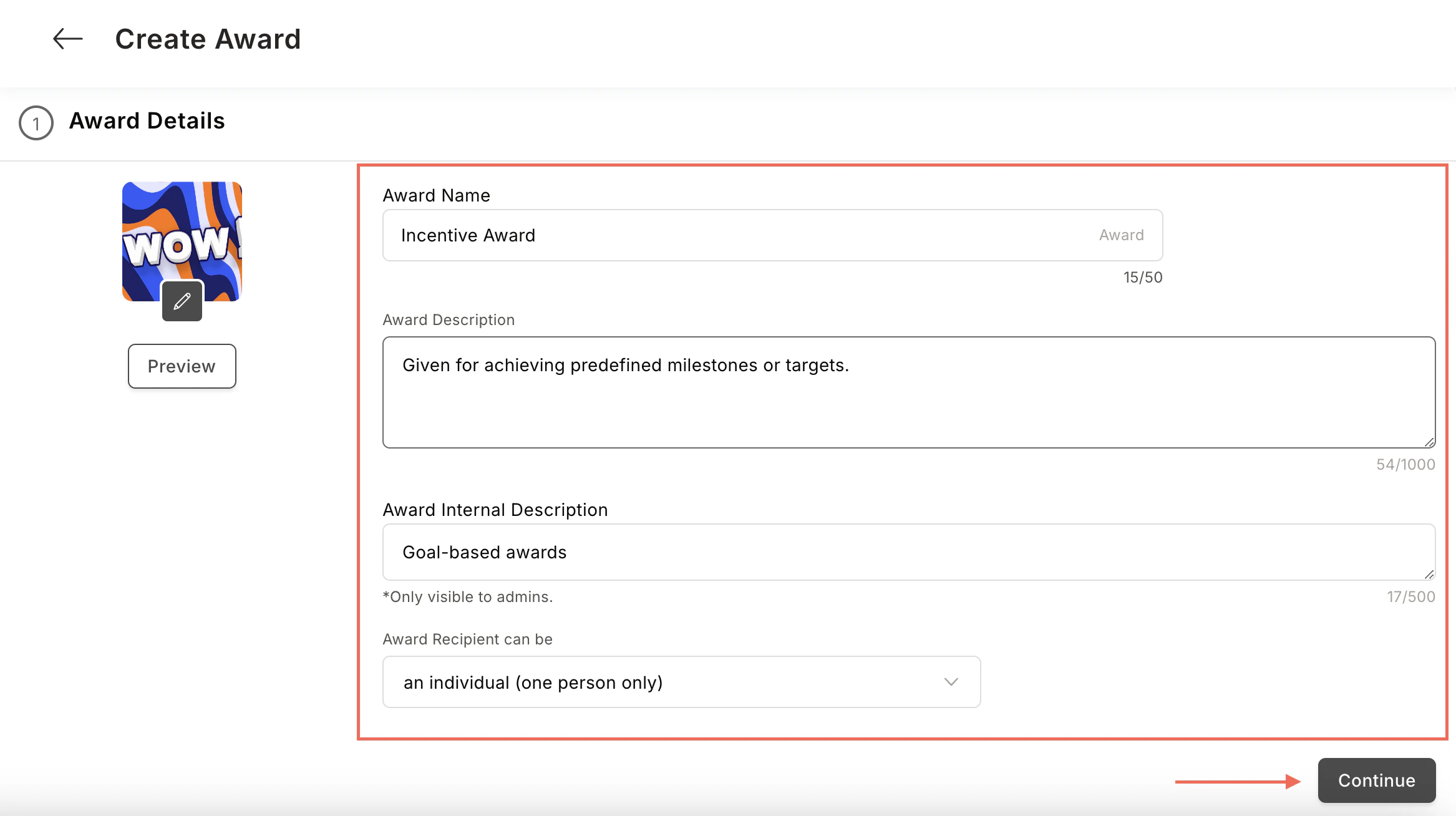
Configure the reward
Choose to reward points or gift cards and merchandise.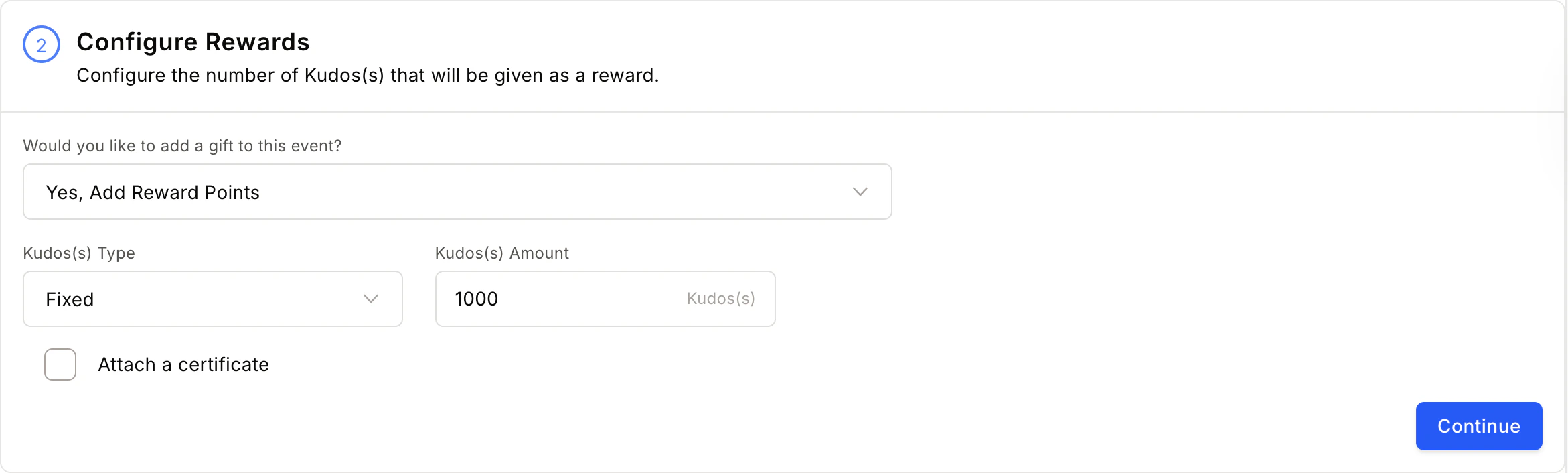
- Attach Certificate — See Add certificates to awards for detailed steps.
- Add Products from the Store — See Set up product-based rewards for detailed steps.
Define nominee, nominator, and approver eligibility
Set constraints on who can nominate, be nominated, and approve.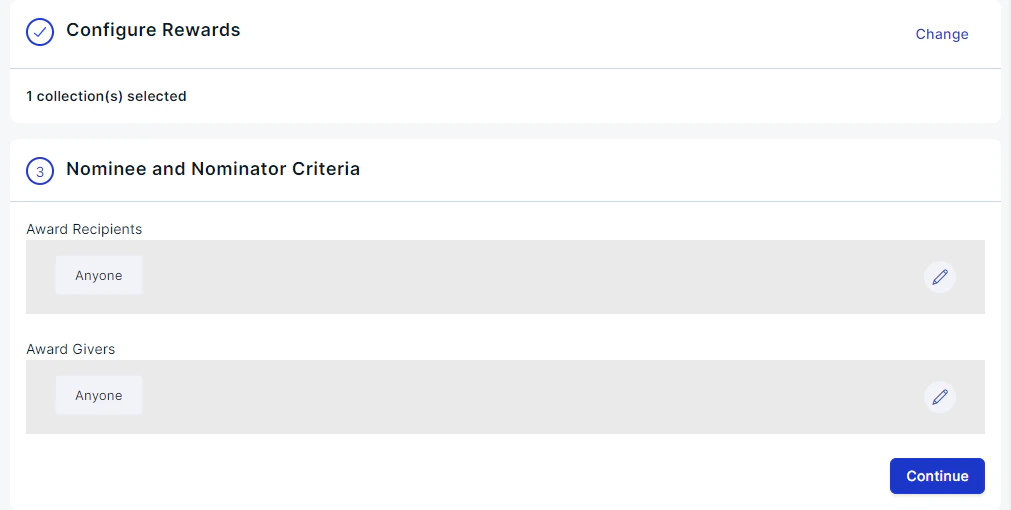
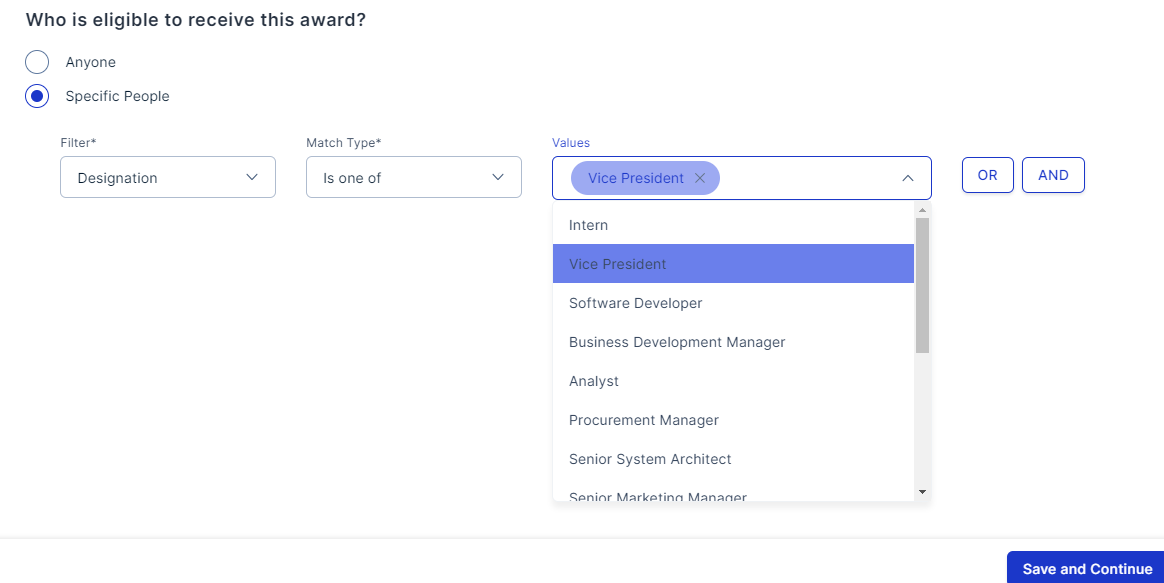
Configure approver selection
Click the pencil icon and select a First Level Approver. Use advanced filters to refine your selection.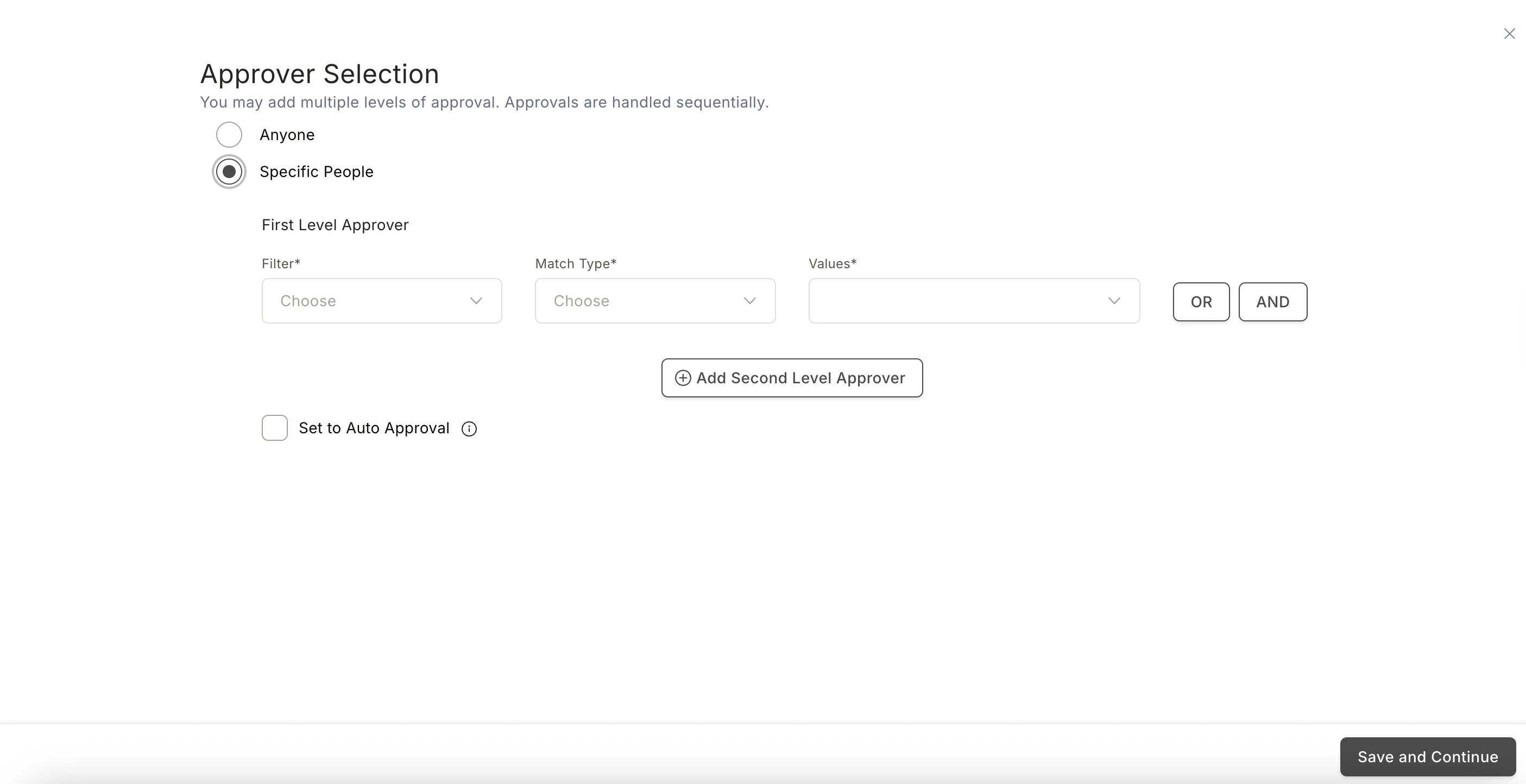
Configure advanced settings
A. Set Questions for Nominator — Create up to 20 questions for nominators to answer when claiming the award. Text-based mandatory questions can also require an attachment.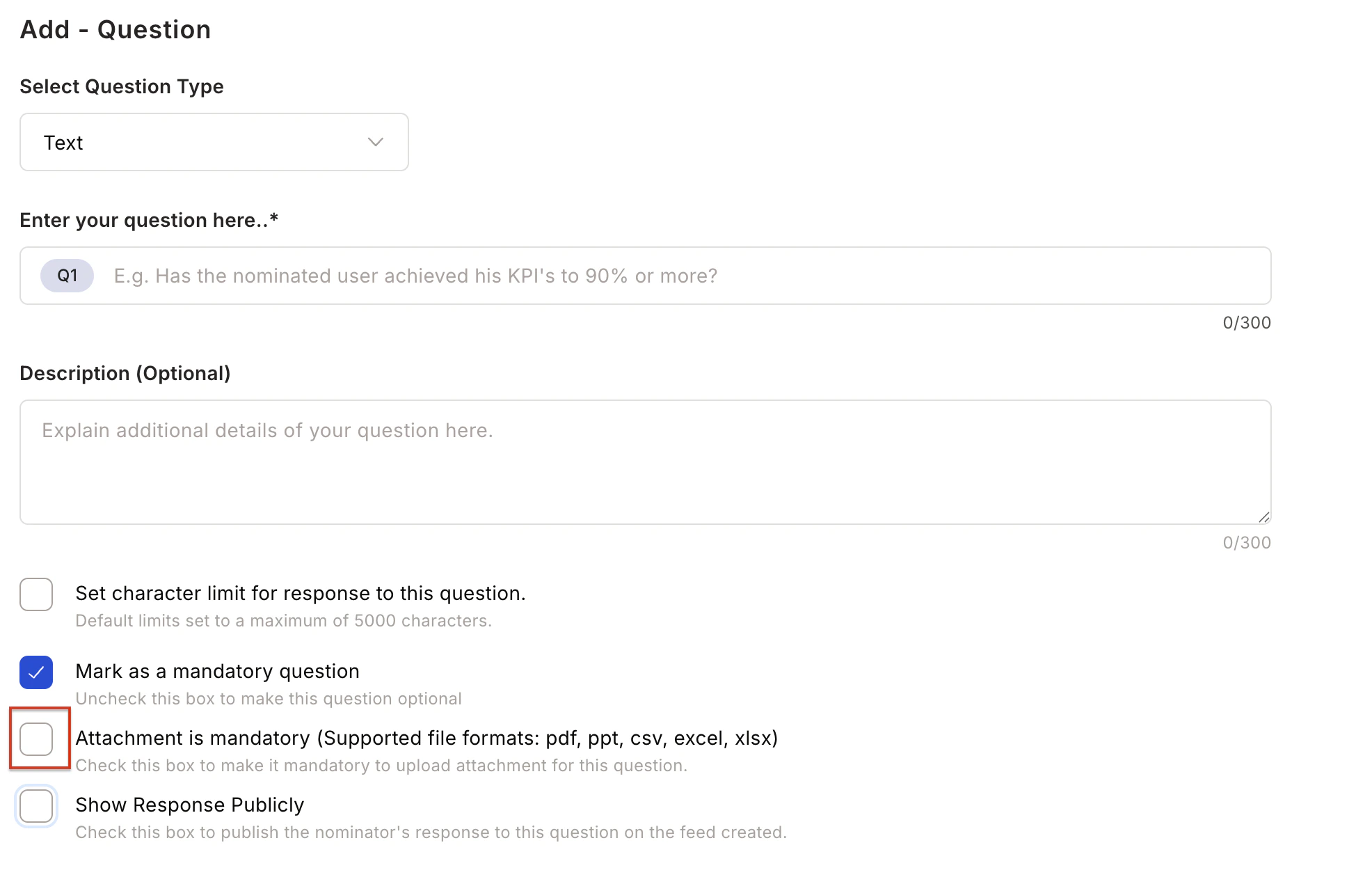
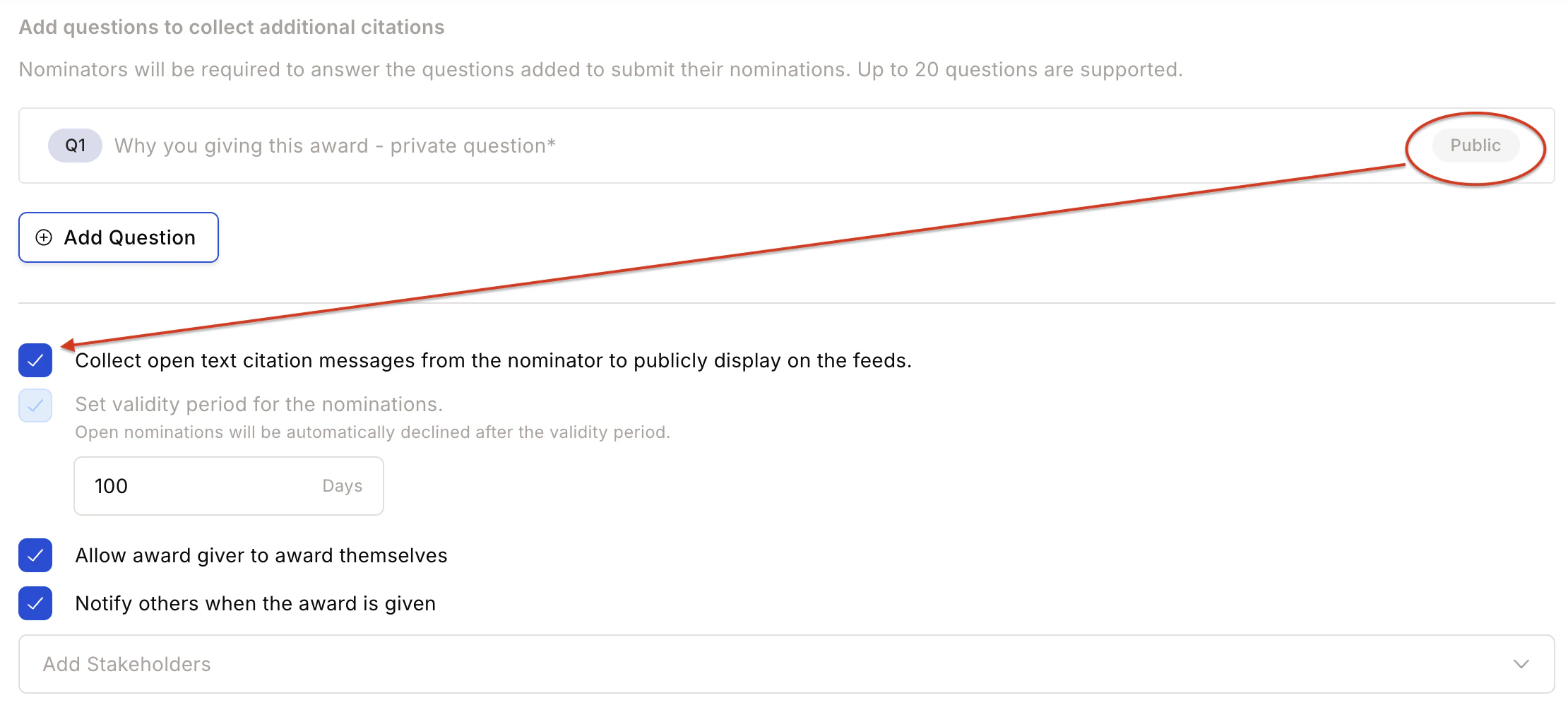
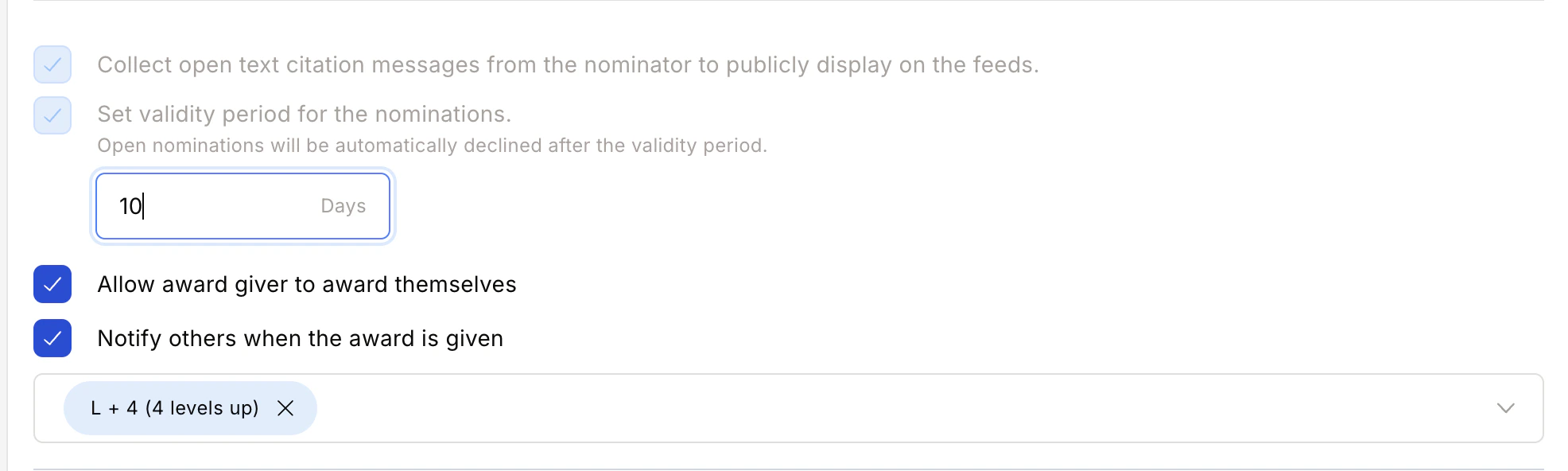
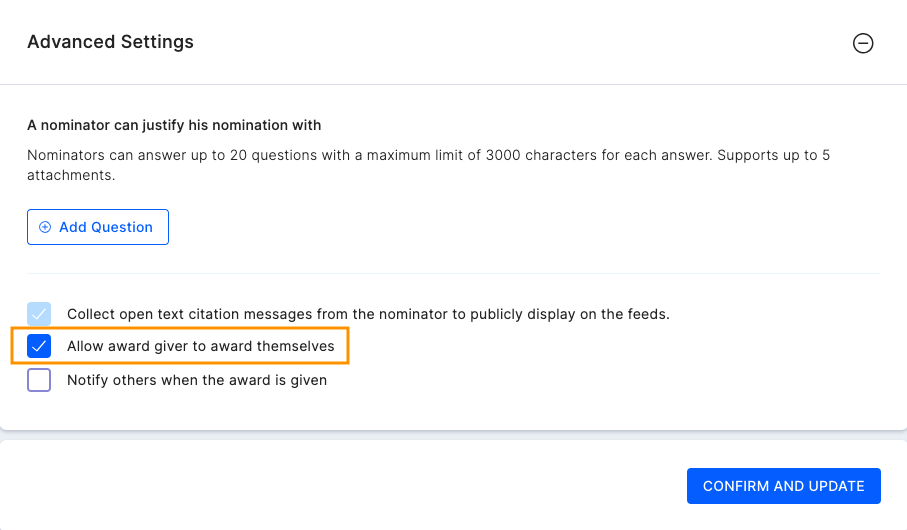
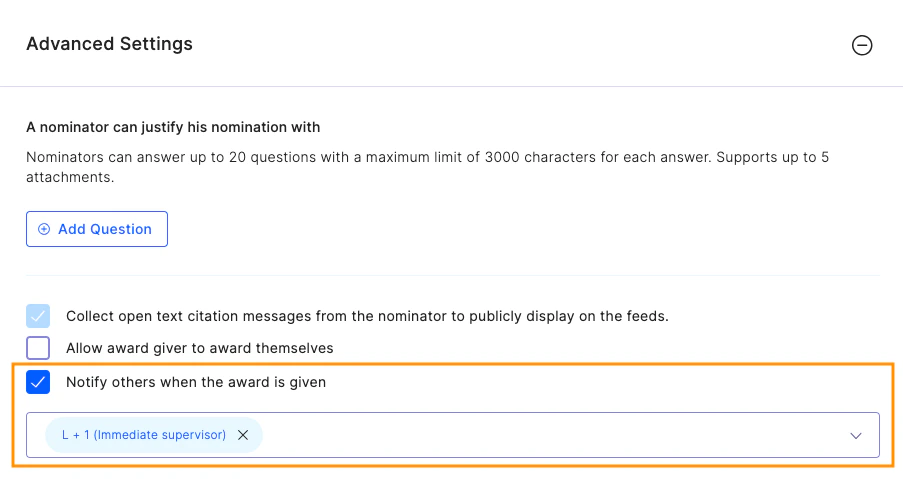
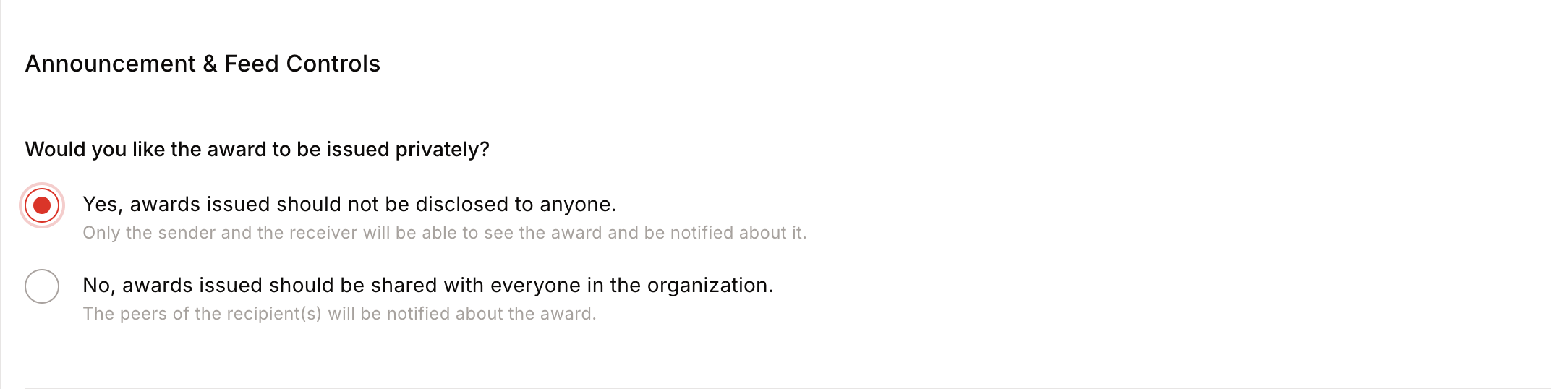
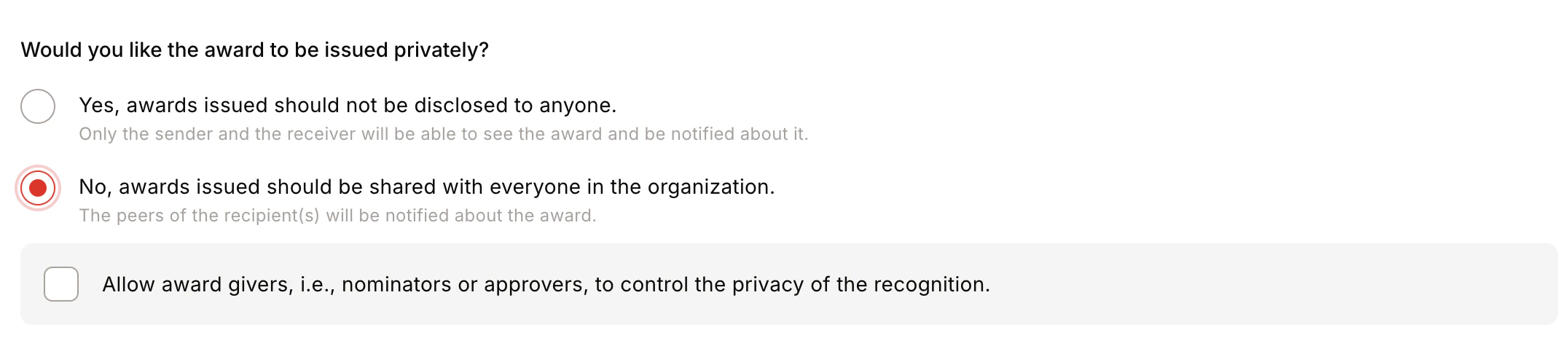

- Award Visibility — Public (visible to all) or Private (visible only to sender and recipient).
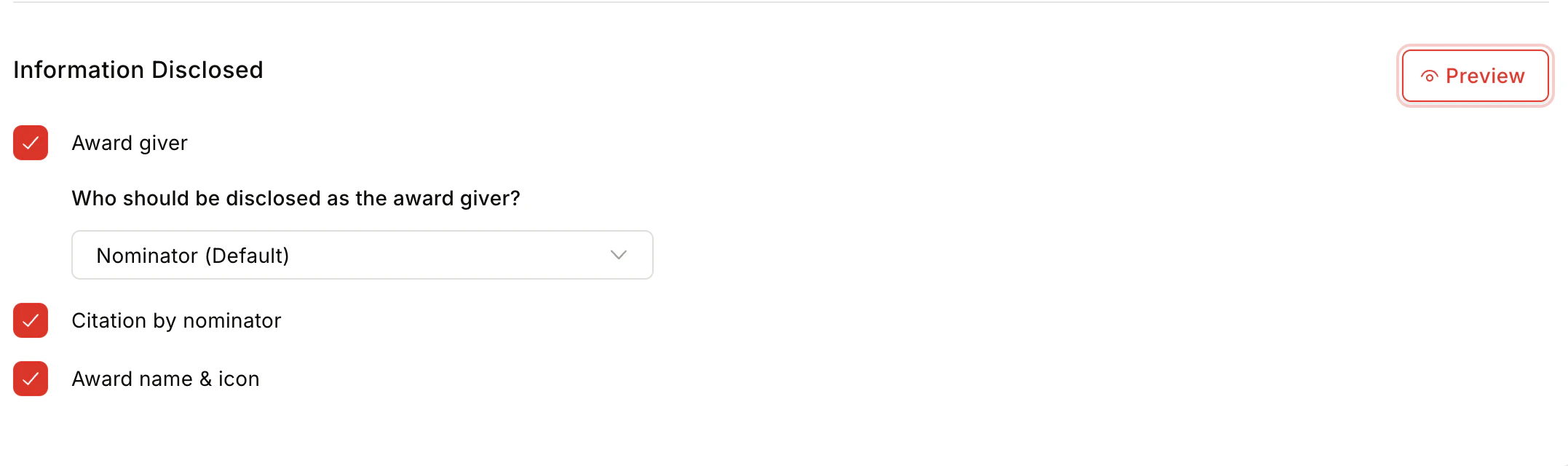
- Information Disclosed — Show/hide Award Giver, Citation by Nominator, and Award Name and Icon.
- Privacy Control — Centrally / Public / Private / By Nominator/Approver.
- Team Size — Minimum 1, maximum 50 members.
FAQs
Can I edit an award after it's created?
Can I edit an award after it's created?
Yes. Changes to reward values, receiver conditions, or evidence questions do not affect existing nominations. Changes to award name, icon, or criteria apply retroactively.
What happens if an award is deleted?
What happens if an award is deleted?
Deleting an award does not impact existing nominations.
Who can give goal-based awards?
Who can give goal-based awards?
Managers and admins can issue awards. Employees can self-nominate if the Allow employees to claim this incentive checkbox is enabled during setup.
How frequently can an award be claimed?
How frequently can an award be claimed?
Admins define claim frequency per award: Daily, Weekly, Fortnightly, Monthly, Quarterly, Yearly, or Once in a Lifetime.
How is evidence of goal achievement submitted?
How is evidence of goal achievement submitted?
Admins can add questions that employees must answer or attach evidence to when submitting a claim.
Can I restrict awards to specific teams or user groups?
Can I restrict awards to specific teams or user groups?
Yes. Eligibility can be defined for specific users or teams, and team size restrictions can be configured in advanced settings.
How are award visibility and notifications managed?
How are award visibility and notifications managed?
Admins can control award visibility (public or private) and choose who gets notified when an award is issued.
For feedback or questions, reach out to cs@xoxoday.com.